

Initialize the SDK
In yourAppDelegate.swift or App.swift file, import and initialize the SDK:
Get Your API Keys
- Log in to your AppPanel Dashboard
- Navigate to the project you are setting up the SDK for
- Navigate to Settings ▸ Project ▸ API Keys
- Copy your development and production public key
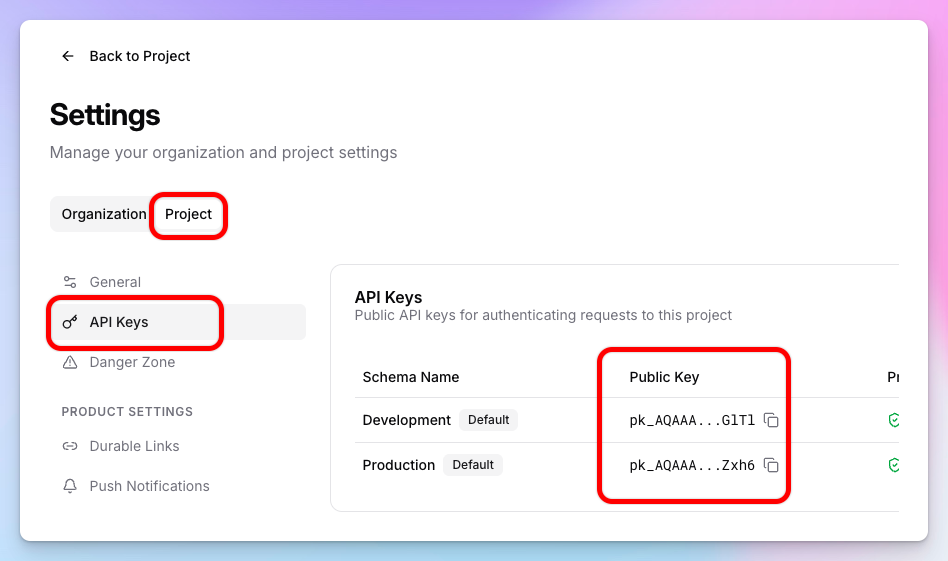
- Replace the placeholder keys in the code above with your actual keys
Using separate keys for debug and release builds helps you test without affecting production data. Your test key will be used during development, and your live key will be used in the App Store build.